What this is for
The Queue Dashboard is the first page after you sign in. It shows the clients waiting for your station and your work today.
Before you start
- You are signed in.
Steps
Tap Dashboard in the left menu.
Read the boxes at the top:
- Waiting: clients waiting for your station now.
- Serving: the client at your counter.
- Completed: clients you finished today.
- Avg Wait: how long your clients today waited before you called them, on average.
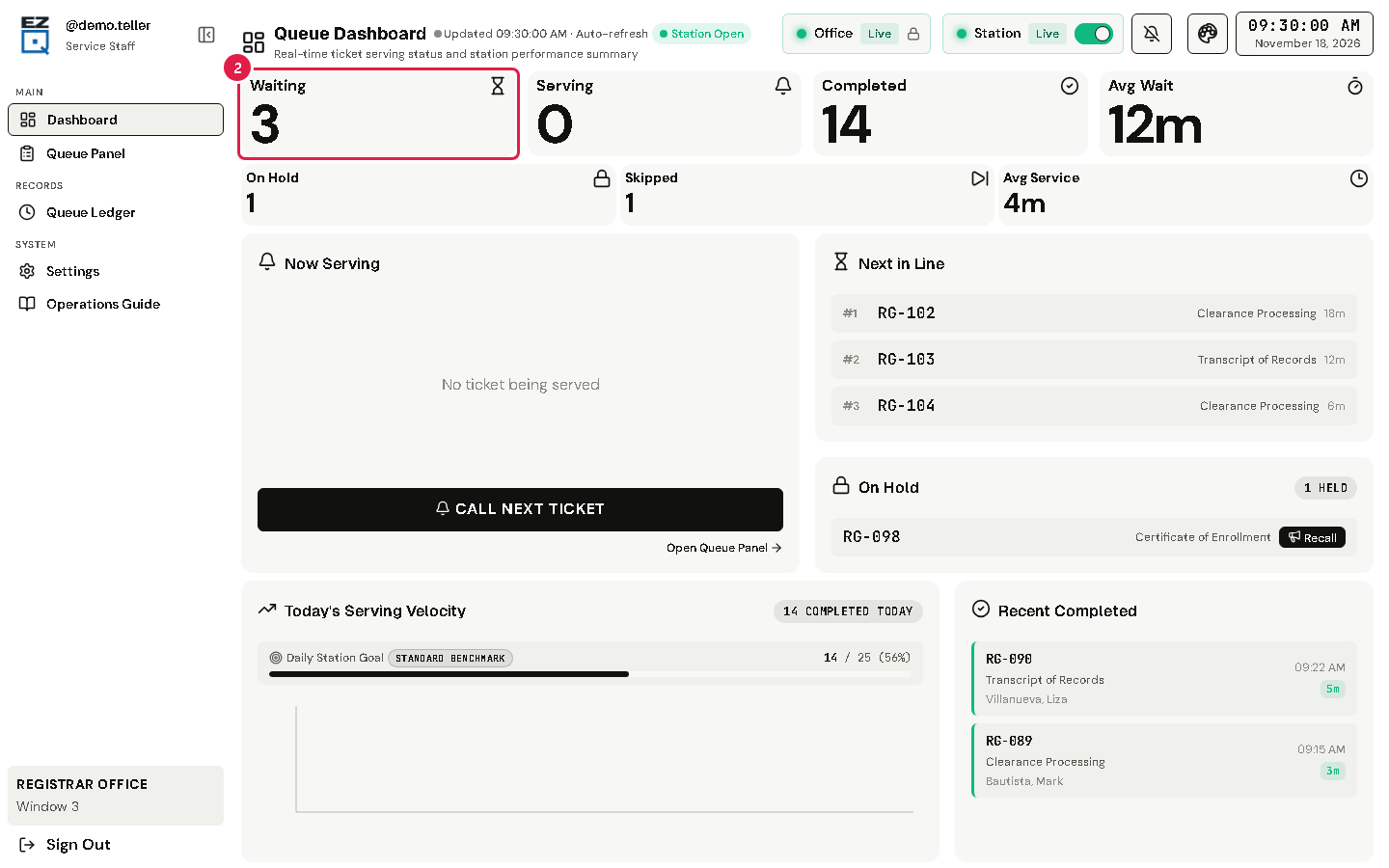
Point at a box, or tap it, to see more. For example, Waiting shows how many priority clients are in line.
Tip The smaller boxes show On Hold, Skipped and Avg Service. Avg Service is how long you took per client today, from call to finish.
If something goes wrong
- The numbers do not change: check your internet connection. The page updates by itself every few seconds.