What this is for
When you finish helping a client, mark the ticket as complete. This frees you to call the next client and counts toward your work for the day.
Before you start
- The client's ticket is under Now Serving.
Steps
Some services have a form the client filled in. If you see VIEW FORM, tap it to read the form. To print it, tap Open in new tab or window.
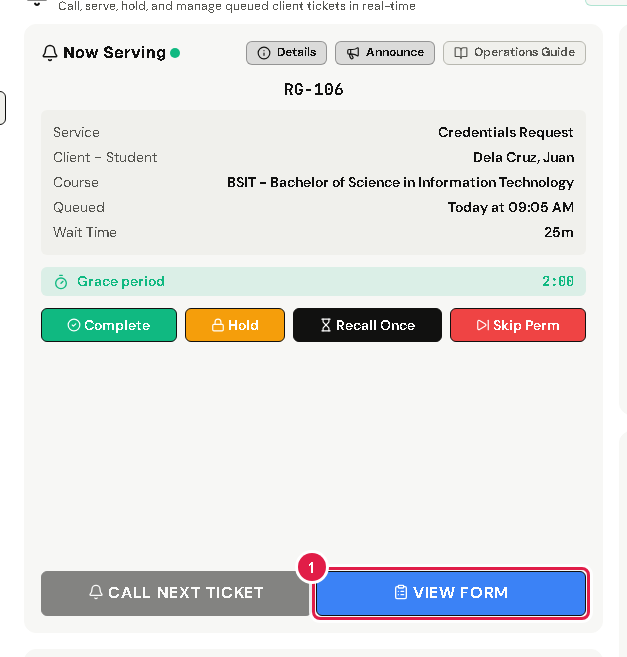
Help the client with their request.
Tap Complete.
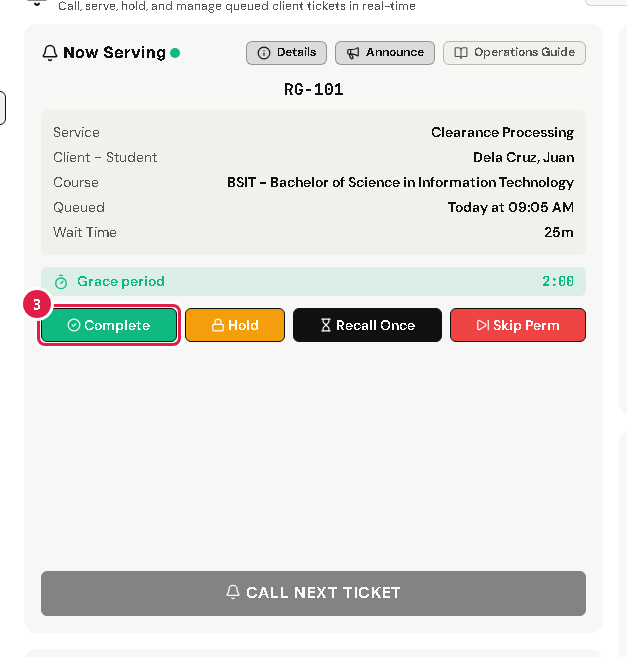
Tap Yes, Proceed. Now Serving is empty again.
Call the next client (see Call the next client).
If something goes wrong
- "Error" message after tapping Yes, Proceed: check your internet connection, then try again. If it keeps happening, tell your office admin.