What this is for
Priority clients, like seniors, persons with disability (PWD) and pregnant women, are moved ahead in line. Their ticket shows a PRIORITY label.
Before you start
- You are on the Queue Panel.
Steps: change a priority ticket to regular
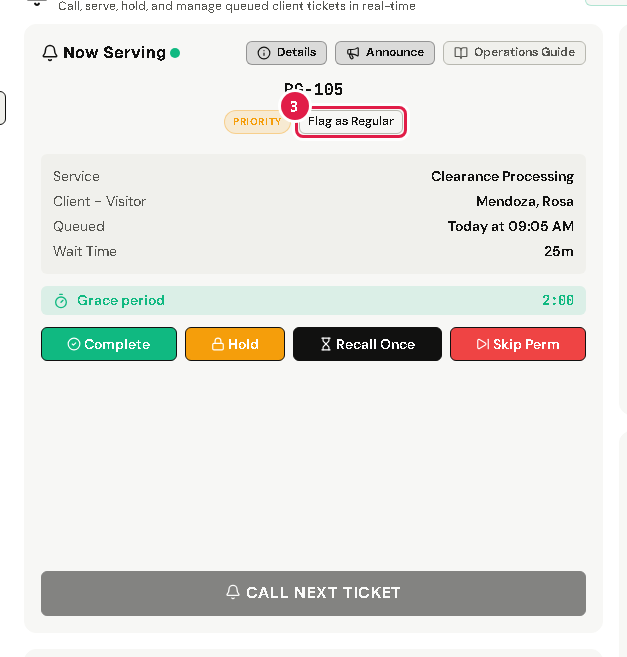
A priority ticket under Now Serving shows the PRIORITY label.
Follow your office's rules to check that the client is a priority client.
If the ticket should not be priority, tap Flag as Regular, then Yes, Proceed. The ticket becomes a regular ticket.
Steps: register a priority client at your counter
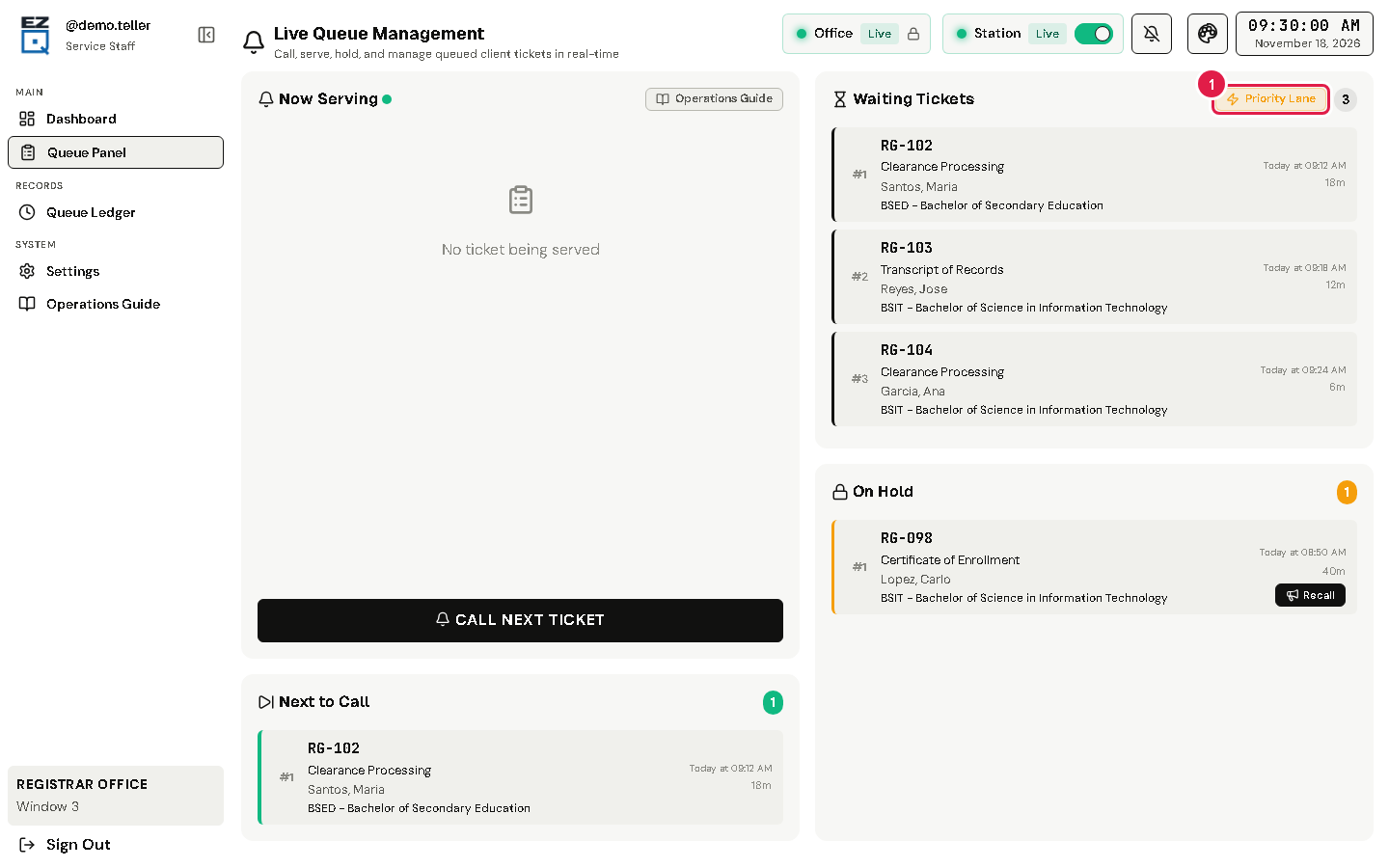
Some offices turn on the Priority Lane. It lets you make a ticket for a priority client who comes straight to you.
In Waiting Tickets, tap Priority Lane.
A window called Priority Lane Intake opens. Fill in each step with the client, like at the kiosk.
The new ticket goes near the front of your line.
If something goes wrong
- No Priority Lane button: it shows only on a station set as a Priority Lane station, when priority is turned on for your office. Ask your office admin.