What this is for
Hold puts a ticket aside without skipping it. Use it when a client must step away and come back. You can serve other clients while the ticket is on hold.
Before you start
- The client's ticket is under Now Serving.
Steps
Tap Hold, then Yes, Proceed.
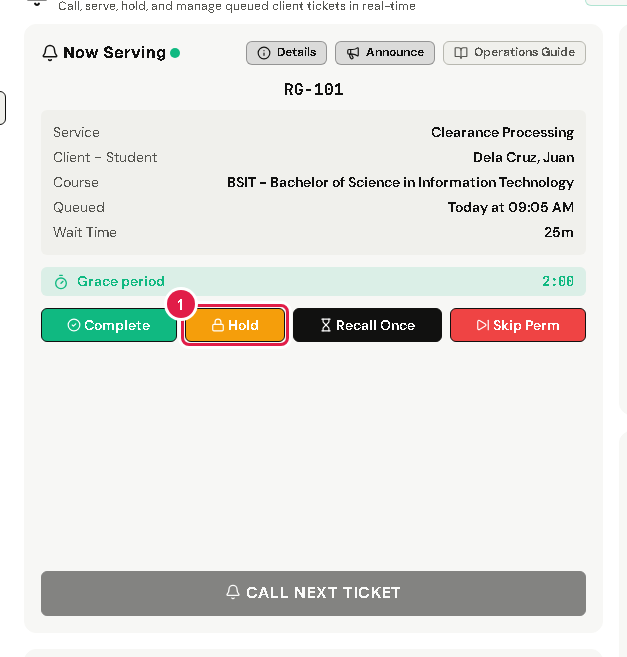
The ticket moves to the On Hold list on the right. You can now call the next client.
When the client comes back, finish the client you are serving first.
In On Hold, find their ticket and tap Recall. Then tap Yes, Proceed.
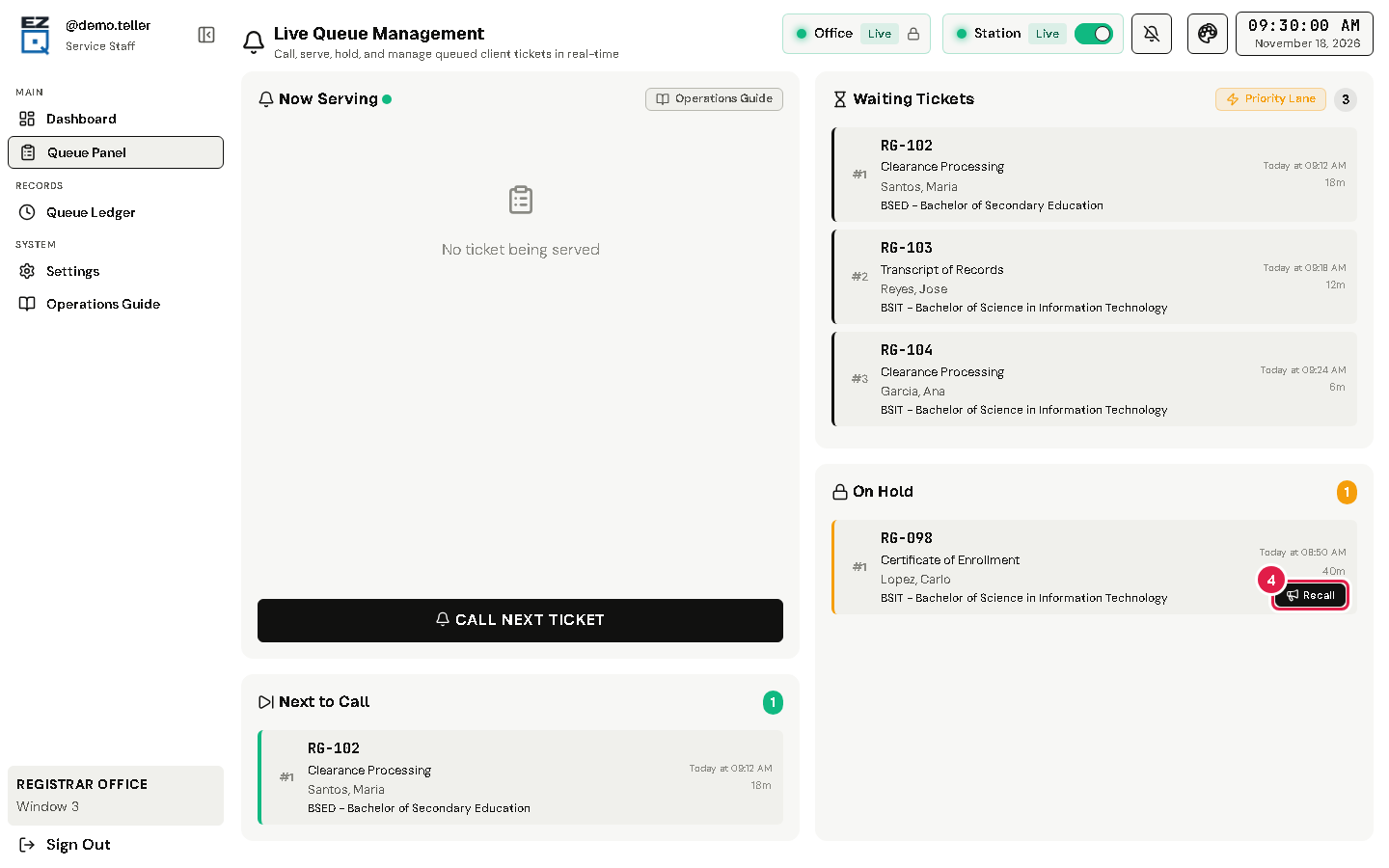
The ticket is back under Now Serving.
If something goes wrong
- Recall is grey: you are still serving someone. Finish that client first.