What this is for
Office Settings controls how your office's line works.
Before you start
- You are signed in as office admin.
Steps
Tap Settings in the left menu.
In the list on the left, tap a section. For example, under Queue, tap Capacity & Timers.
Tap Enable Edit.
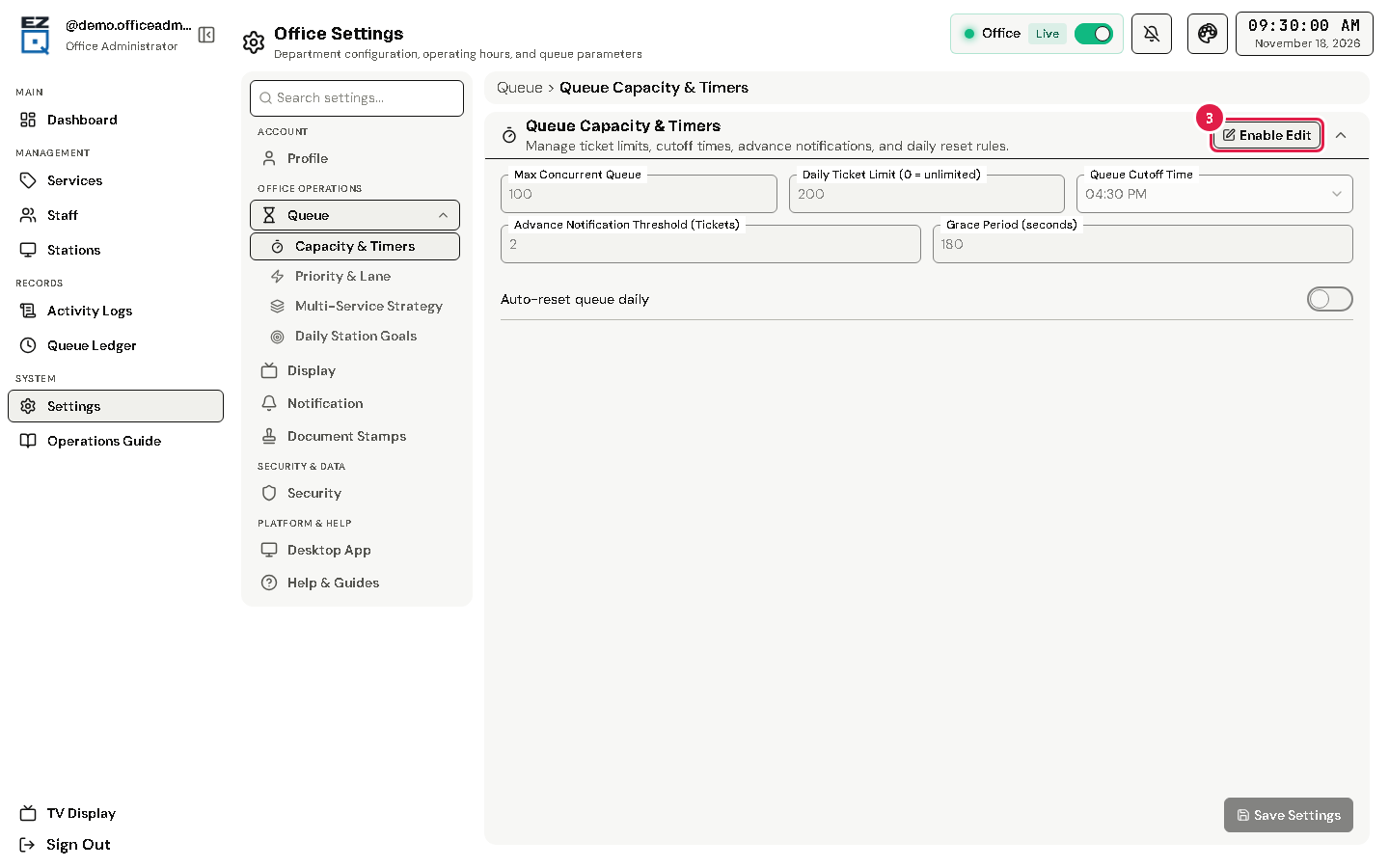
Change the values you need. For example:
- Daily Ticket Limit (0 = unlimited) and Queue Cutoff Time.
- Grace Period (seconds): how long a called client has to come. Then EZQueue moves the ticket to the end of the line.
- Advance Notification Threshold (Tickets): clients this close to the front of a station's line get the "Your Turn is Approaching!" alert.
Tap Save Settings.
Tip Other sections include Priority & Priority Lane Rules, Display Configuration (TV and voice) and Security Settings, where you change your password.
If something goes wrong
- Save Settings is grey: tap Enable Edit first.
- You cannot change your office: the page says the office cannot be changed; contact the system administrator.