What this is for
The remote portal lets you watch the line from your phone. You can follow a ticket from the kiosk, or get a ticket without going to the kiosk.
Before you start
- A phone with internet.
- To follow a ticket you already have: its tracking code, or the ticket with its QR code.
Steps
To follow a ticket you already have, type its tracking code in Enter tracking code. Or tap the QR icon in that box and scan the ticket's QR code.
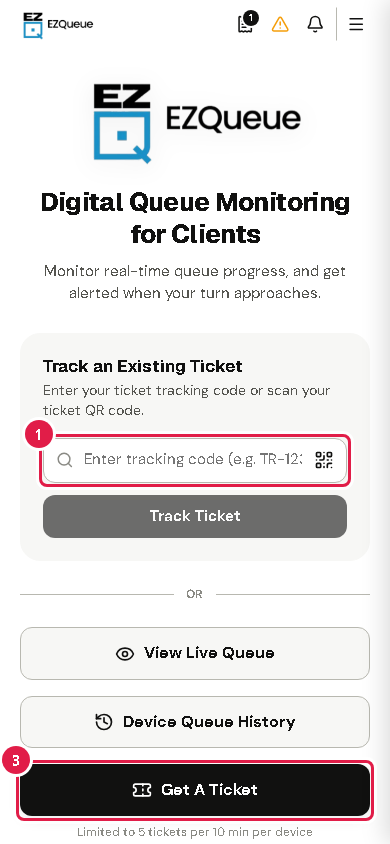
Tap Track Ticket. Your place in line opens. See Follow your place in line.
To get a new ticket, tap Get A Ticket. See Get a ticket on your phone.
Tip Tap View Live Queue to see an office's line, or Device Queue History to see tickets made on this phone.
If something goes wrong
- "Ticket not found. Please verify your tracking code.": check the code on your ticket and type it again.
- No Get A Ticket button, or "Remote Queuing Disabled": getting tickets by phone is turned off. Get your ticket at the campus kiosk.
- "System Currently Closed" or "System Under Maintenance": the queue system is not taking tickets now. Try again later.