What this is for
Your ticket number is your place in line. The TV screen shows it, and a voice reads it out when it is your turn.
Before you start
- You tapped Confirm & Generate Ticket.
Steps
The kiosk shows Ticket Issued Successfully! with your number, for example RG-105. The printer gives you a paper ticket.
No paper came out? Tap Print Tickets.
To follow your ticket on your phone, tap Track on Mobile and scan the QR code.
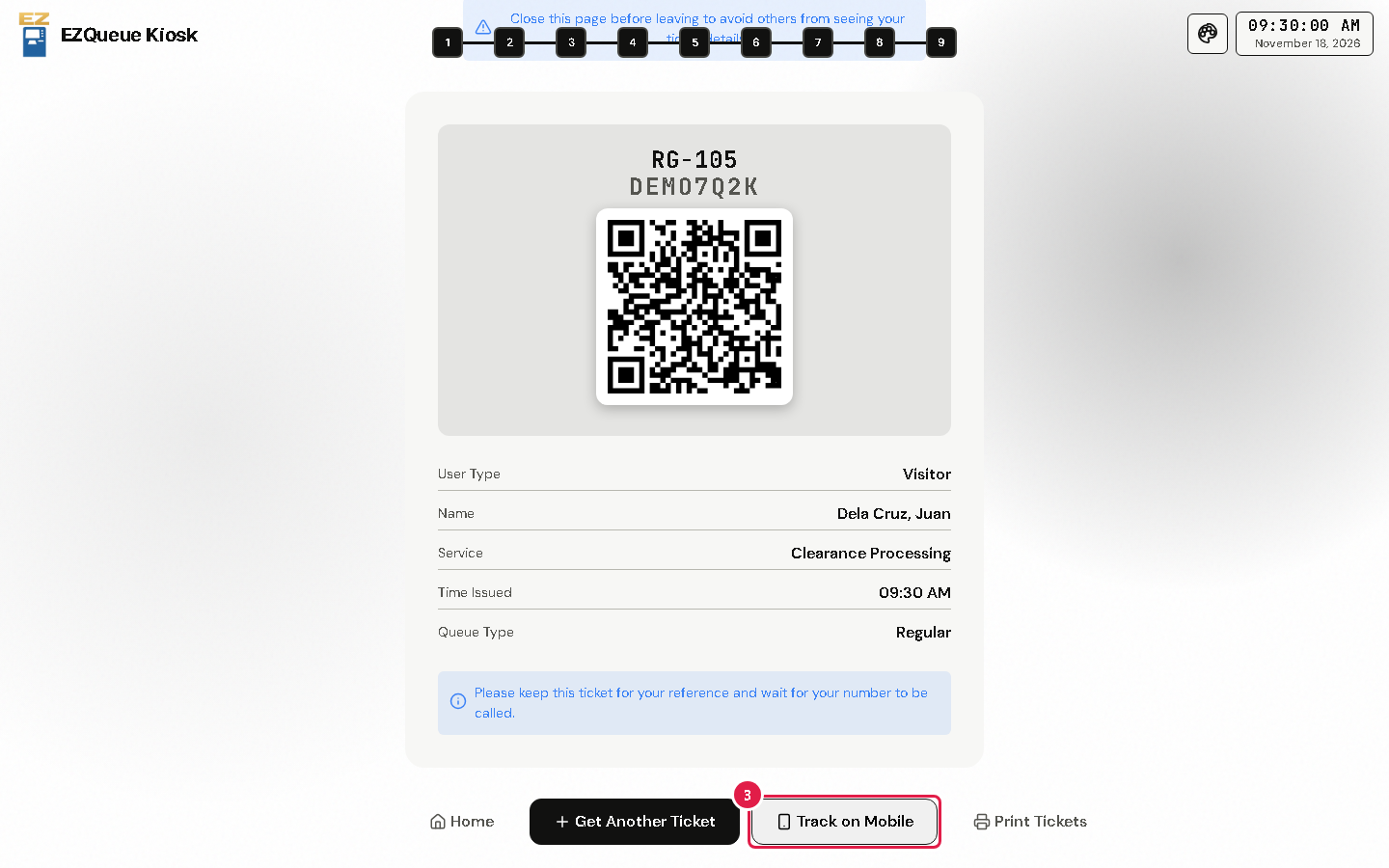
Tap Home when you are done. The screen asks you to close this page so others cannot see your ticket details. A window with the Remote Portal QR code opens first; tap Back to Home.
Wait for your number. The TV screen shows it and reads it out with the counter to go to.
Warning Keep your ticket for your reference, as the screen asks.
If something goes wrong
- The printer is out of paper: tell the staff, and write down your ticket number from the screen.
- You need a ticket for another office: tap Get Another Ticket.