What this is for
The kiosk gives you a ticket number for an office. First, it asks what kind of client you are.
Before you start
- Students and alumni: have your ID number ready.
- Faculty and staff: have your employee ID ready.
Steps
Tap the box that fits you: Student, Alumni, Faculty/Staff or Visitor.
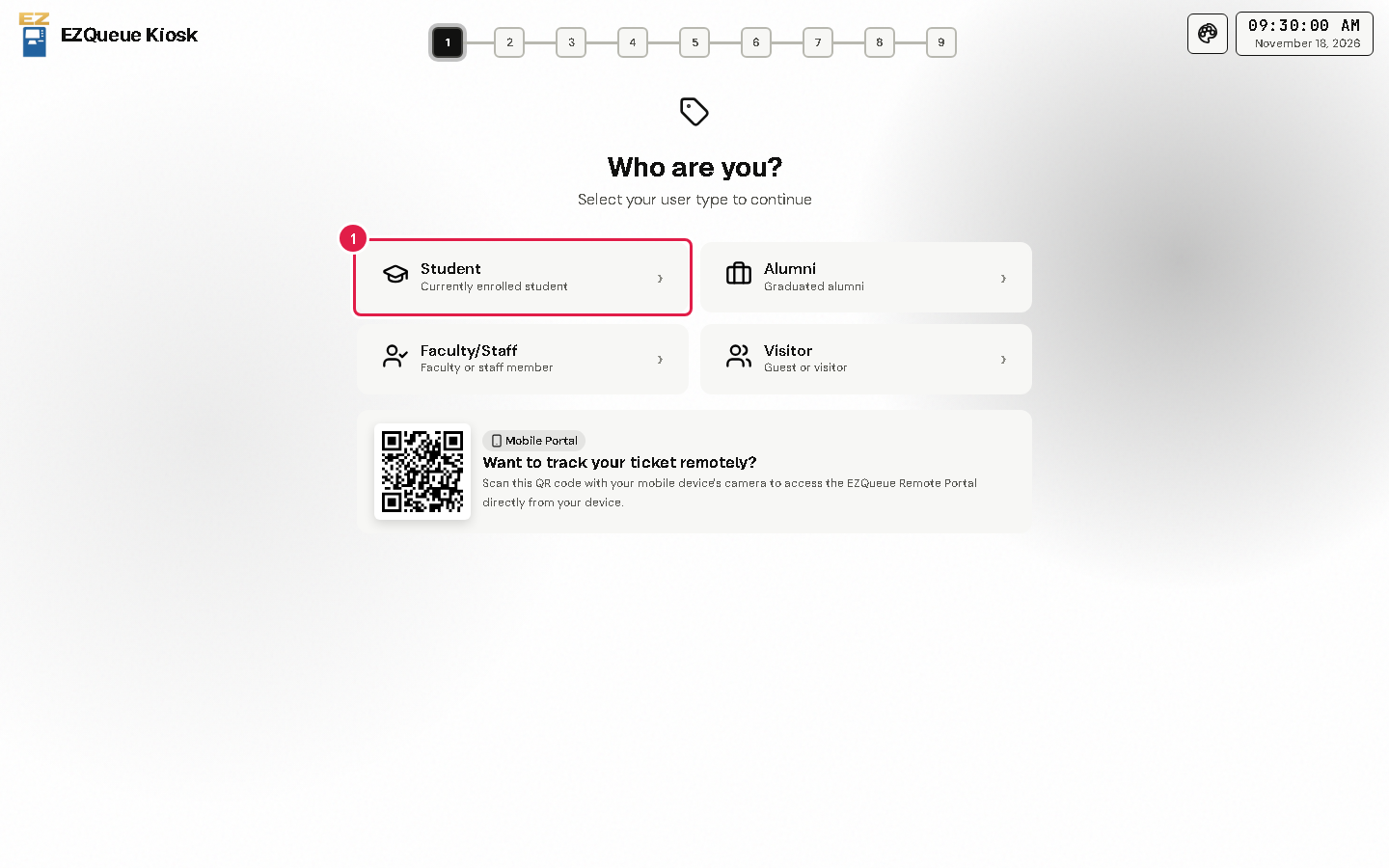
The next screen asks for your name and details. See Type your details.
Tip Want to wait away from the office? Scan the QR code under Want to track your ticket remotely? with your phone camera.
If something goes wrong
- You tapped the wrong box: tap Back on the next screen.
- The kiosk shows a message that it is closed: the office is not giving tickets right now. Ask the staff at the counter.